Docker
The instructions below will get Clutch up and running in a Docker container.
If building the binary outside of a container is preferred, see the Local Build docs.
Prerequisites
Docker is required to use the examples below, see Get Docker for information on installing Docker itself.
Using the Docker Container
Clutch provides a Dockerfile that builds and runs a version of Clutch with all core components compiled in.
Building the Container From Scratch
Cloning the Repository
Start by cloning the Clutch repository and entering into the source directory.
- HTTPS
- SSH
git clone https://github.com/lyft/clutch
cd clutch
git clone git@github.com:lyft/clutch
cd clutch
Building the Image
Build the Docker image locally. The frontend will build followed by the backend. The frontend is copied into the backend and compiled into a single binary.
docker build -t clutch:latest .
Running the Image
On every commit to the main branch, a Docker image is built and published to Docker Hub tagged with latest and the commit SHA in the form of sha-<abcdef>.
The default configuration in backend/clutch-config.yaml is used.
If desired, use a custom configuration with the Docker image by mapping it into the container.
- Default Configuration
- Custom Configuration
- With Environment Variables
docker run --rm -p 8080:8080 -it clutch:latest
docker run --rm -p 8080:8080 \
-v /host/absolute/path/to/config.yaml:/clutch-config.yaml:ro \
-it clutch:latest
docker run --rm -p 8080:8080 \
-e AWS_ACCESS_KEY_ID=$AWS_ACCESS_KEY_ID \
-e AWS_SECRET_ACCESS_KEY=$AWS_SECRET_ACCESS_KEY \
-it clutch:latest
For more information on configuring Clutch, see the Configuration Reference.
Accessing Clutch
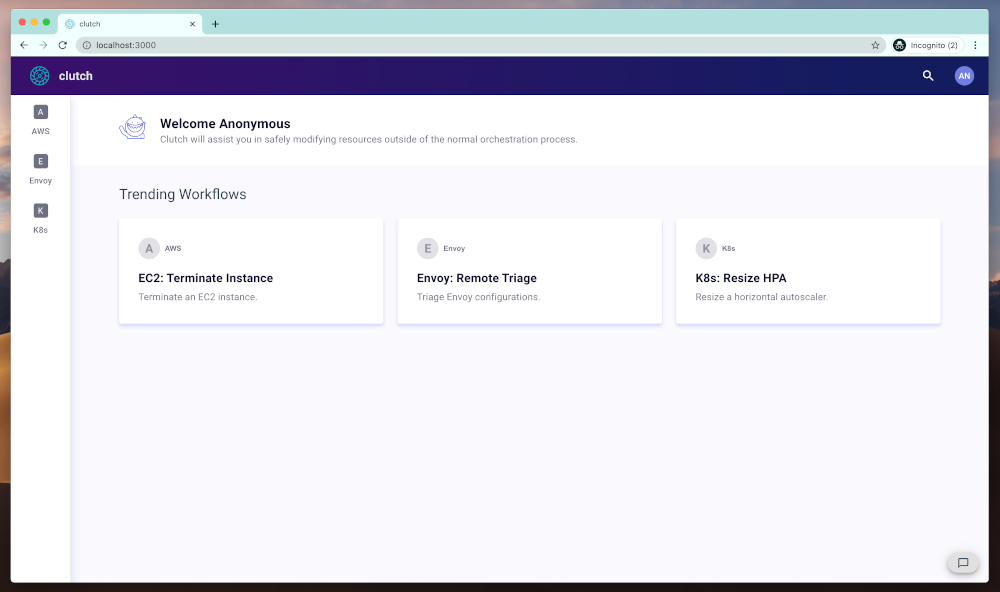
🎉 Clutch should now be accessible from localhost:8080 in the browser.
Next Steps
- For more information on core components, see the Components reference.
- To better understand how custom components fit into Clutch, visit the Architecture reference.
- For documentation on developing custom components, check the Development docs.